The winget tool source command allows you to manage sources for Windows Package Manager. With the source command, you can add, list, update, remove, reset, or export repositories.
A source repository provides the data for you to discover and install applications. Only use secure, trusted source locations.
Windows Package Manager specifies the following two default repositories, which you can list by using winget source list.
- msstore – The Microsoft Store catalog.
- winget – The Windows Package Manager app repository.
Usage
Windows Command PromptCopy
winget source <subcommand> <options>
Arguments
The following arguments are available.
| Argument | Description |
|---|---|
| -?, –help | Gets additional help on this command. |
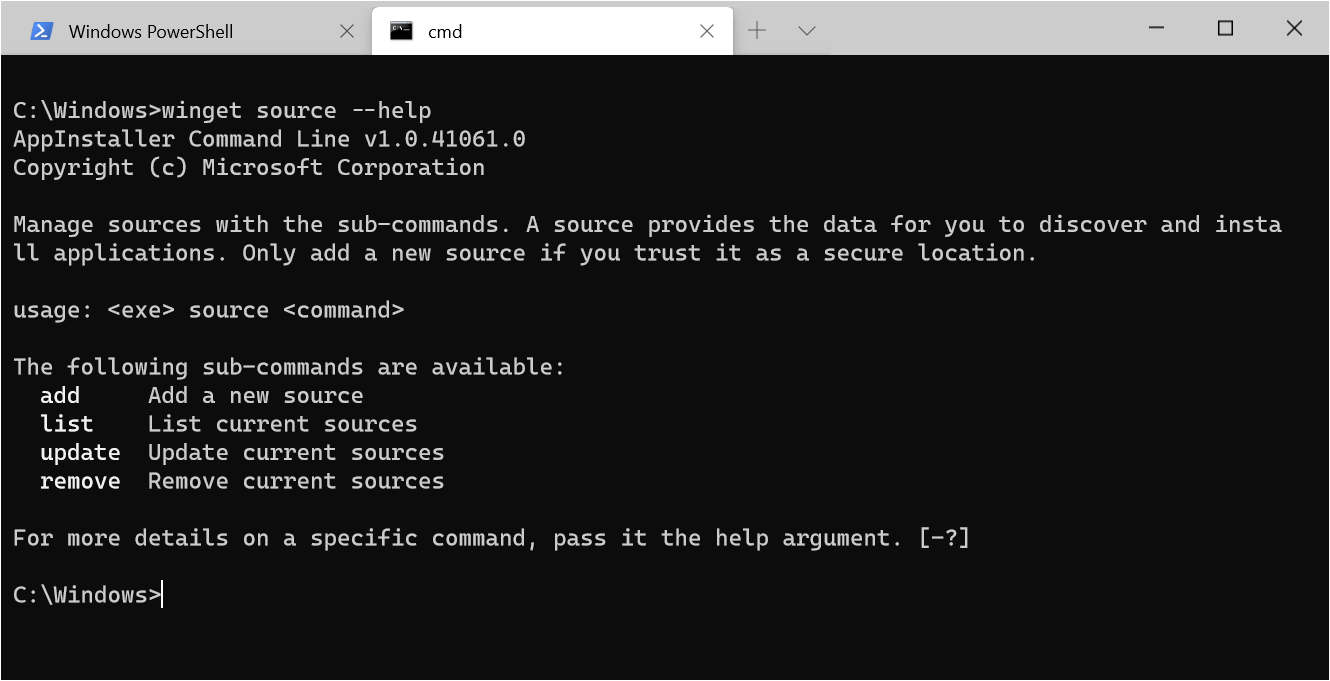
The following image shows help for the source command:
Subcommands
The source command supports the following subcommands.
| Subcommand | Description |
|---|---|
| add | Adds a new source. |
| list | Enumerates the list of enabled sources. |
| update | Updates a source. |
| remove | Removes a source. |
| reset | Resets winget and msstore back to the initial configuration. |
| export | Exports current sources. |
add
The add subcommand adds a new source. This subcommand requires the –name and –arg options. Because the command changes user access, using add requires administrator privileges.
Usage:
Windows Command PromptCopy
winget source add [-n, --name] <name> [-a, --arg] <url> [[-t, --type] <type>]
For example, winget source add --name Contoso https://www.contoso.com/cache adds the Contoso repository at URL https://www.contoso.com/cache.
Optional type parameter
The add subcommand supports the optional type parameter, which tells the client what type of repository it is connecting to. The following type is supported.
| Type | Description |
|---|---|
| Microsoft.PreIndexed.Package | The default source type. |
list
The list subcommand enumerates the currently enabled sources, or provides details on a specific source.
Usage:
Windows Command PromptCopy
winget source list [[-n, --name] <name>]
list all
The list subcommand by itself, winget source list, provides the complete list of supported sources:
OutputCopy
Name   Arg
-----------------------------------------
winget https://winget.azureedge.net/cache
list source details
To get complete details about a source, pass in the name of the source. For example:
Windows Command PromptCopy
winget source list --name Contoso
Returns the following output:
OutputCopy
Name   : Contoso
Type   : Microsoft.PreIndexed.Package
Arg    : https://pkgmgr-int.azureedge.net/cache
Data   : AppInstallerSQLiteIndex-int_g4ype1skzj3jy
Updated: 2020-4-14 17:45:32.000
Nameis the name of the source.Typeis the type of repo.Argis the URL or path the source uses.Datais the optional package name, if appropriate.Updatedis the last date and time the source was updated.
update
The update subcommand forces an update to an individual source, or to all sources.
Usage:
Windows Command PromptCopy
winget source update [[-n, --name] <name>]
update all
The update subcommand by itself, winget source update, requests updates to all repos.
update source
The update subcommand with the –name option directs an update to the named source. For example: winget source update --name Contoso forces an update to the Contoso repository.
remove
The remove subcommand removes a source. This subcommand requires the –name option to identify the source. Because the command changes user access, using remove requires administrator privileges.
Usage:
Windows Command PromptCopy
winget source remove [-n, --name] <name>
For example: winget source remove --name Contoso removes the Contoso repository.
reset
The reset subcommand resets the client back to its original configuration, and removes all sources except the default. Only use this subcommand in rare cases. Because the command changes user access, using reset requires administrator privileges.
Because the reset command removes all sources, you must force the action by using the –force option.
Usage:
Windows Command PromptCopy
winget source reset --force
export
The export sub-command exports the specific details for a source to JSON output.
For example:
Windows Command PromptCopy
winget source export winget
Returns the following output:
OutputCopy
{"Arg":"https://winget.azureedge.net/cache","Data":"Microsoft.Winget.Source_8wekyb3d8bbwe","Identifier":"Microsoft.Winget.Source_8wekyb3d8bbwe","Name":"winget","Type":"Microsoft.PreIndexed.Package"}
Options
The source command supports the following options.
| Option | Description |
|---|---|
| -n,–name | The name to identify the source by. |
| -a,–arg | The URL or UNC of the source. |
| –force | Used by reset to ensure that a reset is desired. |
| -t,–type | The type of source. |
| –accept-source-agreements | Accepts the source license agreement, and avoids the prompt. |
| –header | Optional Windows-Package-Manager REST source HTTP header. |
| –verbose-logs | Overrides the logging setting and creates a verbose log. |
| -?, –help | Gets additional help on this command. |