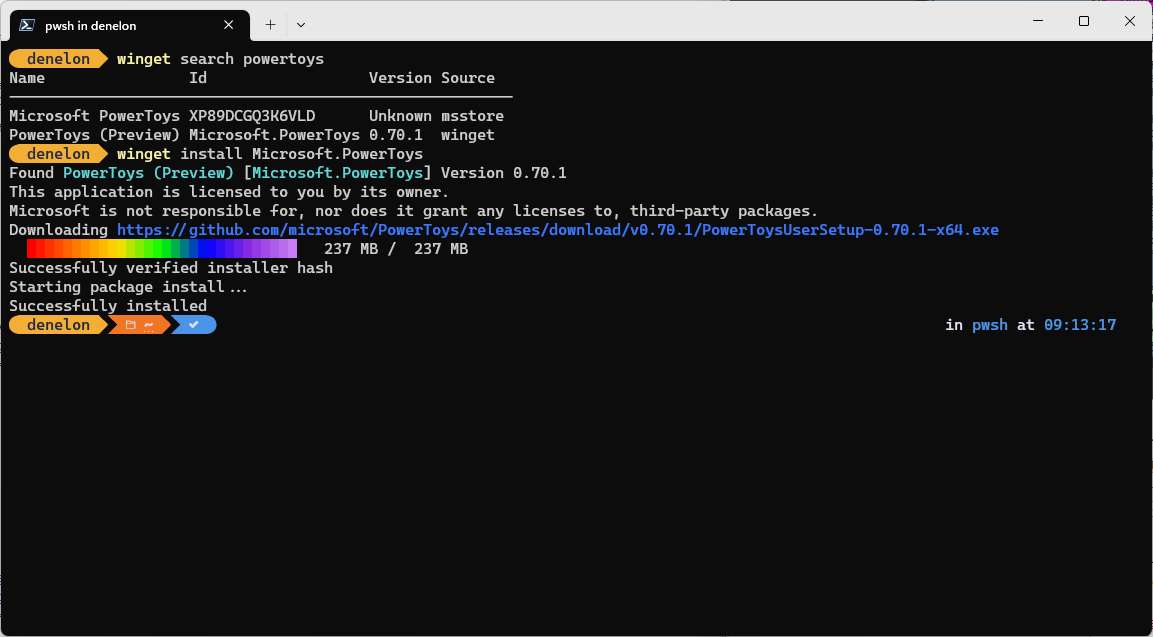
The install command of the winget tool installs the specified application. Use the search command to identify the application you want to install.
The install command requires that you specify the exact string to install. If there is any ambiguity, you will be prompted to further filter the install command to an exact application.
Usage
winget install [[-q] \<query>] [\<options>]
Arguments
The following arguments are available.
| Argument | Description |
|---|---|
| -q,–query | The query used to search for an app. |
| -?, –help | Get additional help on this command. |
Note
The query argument is positional. Wild-card style syntax is not supported. This is most often the string of characters you expect to uniquely identify the package you wish to install.
Options
The options allow you to customize the install experience to meet your needs.
| Option | Description |
|---|---|
| -m, –manifest | Must be followed by the path to the manifest (YAML) file. You can use the manifest to run the install experience from a local YAML file. |
| –id | Limits the install to the ID of the application. |
| –name | Limits the search to the name of the application. |
| –moniker | Limits the search to the moniker listed for the application. |
| -v, –version | Enables you to specify an exact version to install. If not specified, latest will install the highest versioned application. |
| -s, –source | Restricts the search to the source name provided. Must be followed by the source name. |
| –scope | Allows you to specify if the installer should target user or machine scope. |
| -a, –architecture | Select the architecture to install. |
| -e, –exact | Uses the exact string in the query, including checking for case-sensitivity. It will not use the default behavior of a substring. |
| -i, –interactive | Runs the installer in interactive mode. The default experience shows installer progress. |
| -h, –silent | Runs the installer in silent mode. This suppresses all UI. The default experience shows installer progress. |
| –locale | Specifies which locale to use (BCP47 format). |
| -o, –log | Directs the logging to a log file. You must provide a path to a file that you have the write rights to. |
| –override | A string that will be passed directly to the installer. |
| -l, –location | Location to install to (if supported). |
| –force | Overrides the installer hash check. Not recommended. |
| –accept-package-agreements | Used to accept the license agreement, and avoid the prompt. |
| –accept-source-agreements | Used to accept the source license agreement, and avoid the prompt. |
| –header | Optional Windows-Package-Manager REST source HTTP header. |
| -r, –rename | The value to rename the executable file (portable) |
| –verbose-logs | Used to override the logging setting and create a verbose log. |