After App Installer is installed, you can run winget by typing ‘winget’ from a Command Prompt.
One of the most common usage scenarios is to search for and install a favorite tool.
- To search for a tool, type
winget search <appname>. - After you have confirmed that the tool you want is available, you can install the tool by typing
winget install <appname>. The winget tool will launch the installer and install the application on your PC.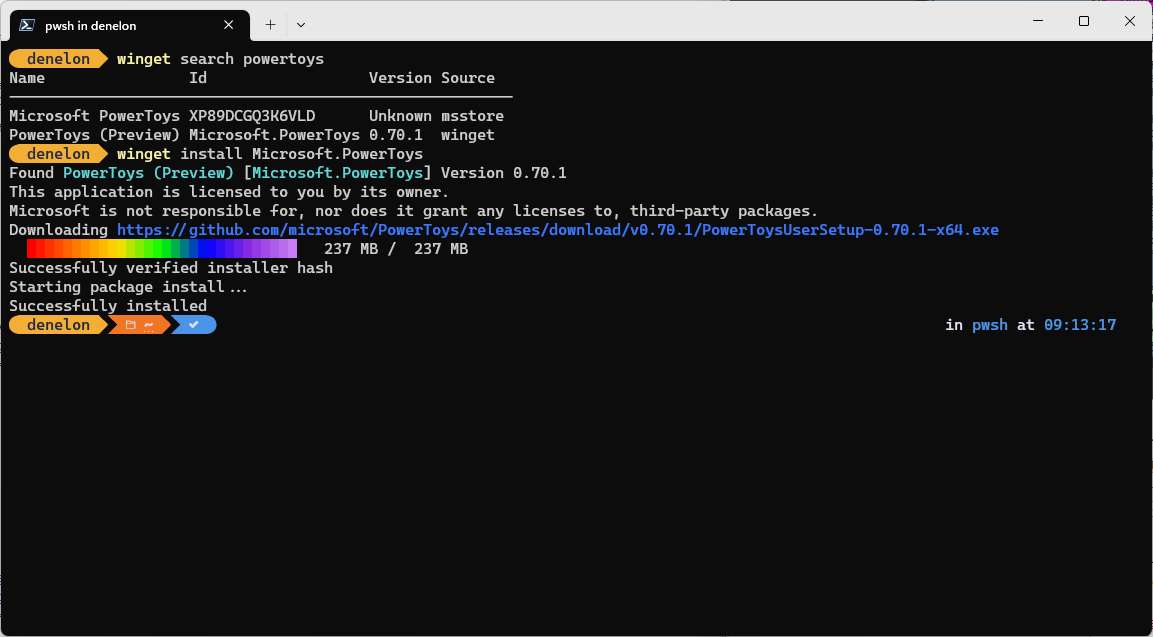
- In addition to install and search, winget provides a number of other commands that enable you to show details on applications, change sources, and validate packages. To get a complete list of commands, type:
winget --help.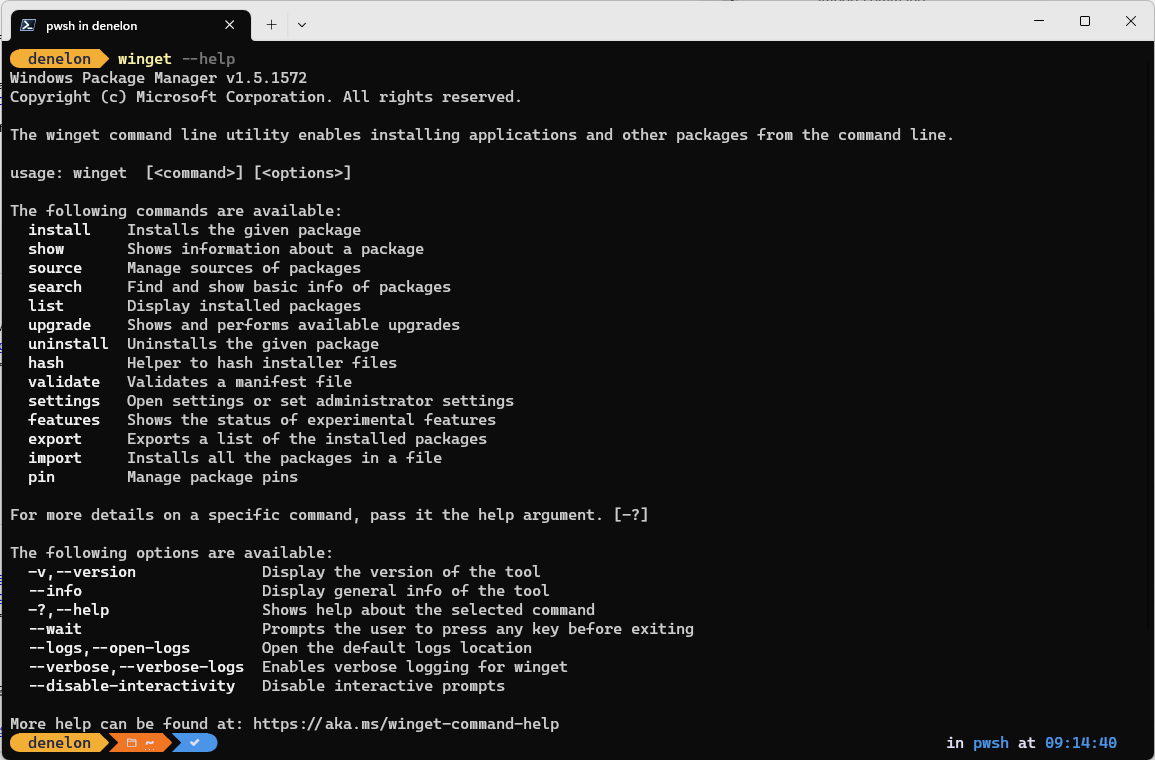
Some users have reported issues with the client not being on their PATH.